 ScribeShot
Turn the videos you saved into knowledge you can actually find again
A folder full of video notes is useful only while you remember where everything is. ScribeShot adds a library-wide knowledge layer on top of its visual video notes: search across saved material, ask grounded questions, and turn what you learned into active-recall practice.
The workflow compounds over time
Each video starts as its own source-linked workspace: transcript, chapters, notes, timestamped screenshots, Learning Concepts and other artifacts. The Knowledge Base indexes what already exists across those saved videos. You do not have to reorganize the whole library by hand before it becomes useful.
| Stage | What ScribeShot does | Why it matters later |
|---|---|---|
| Capture | Save transcript, chapters, notes and important video frames. | The original source and its visual evidence remain available. |
| Understand | Generate Learning Concepts that combine durable ideas across chapters. | The library gains a concept layer, not only raw transcript text. |
| Retrieve | Search across transcripts, chapters, concepts and analyzed screenshots. | You can find an idea without remembering which video contained it. |
| Synthesize | Ask Knowledge Base answers questions across saved video knowledge with source evidence. | Related lessons become useful together instead of remaining isolated notes. |
| Retain | Test Me and per-video quizzes create active-recall practice. | You check what you can retrieve from memory rather than only rereading. |
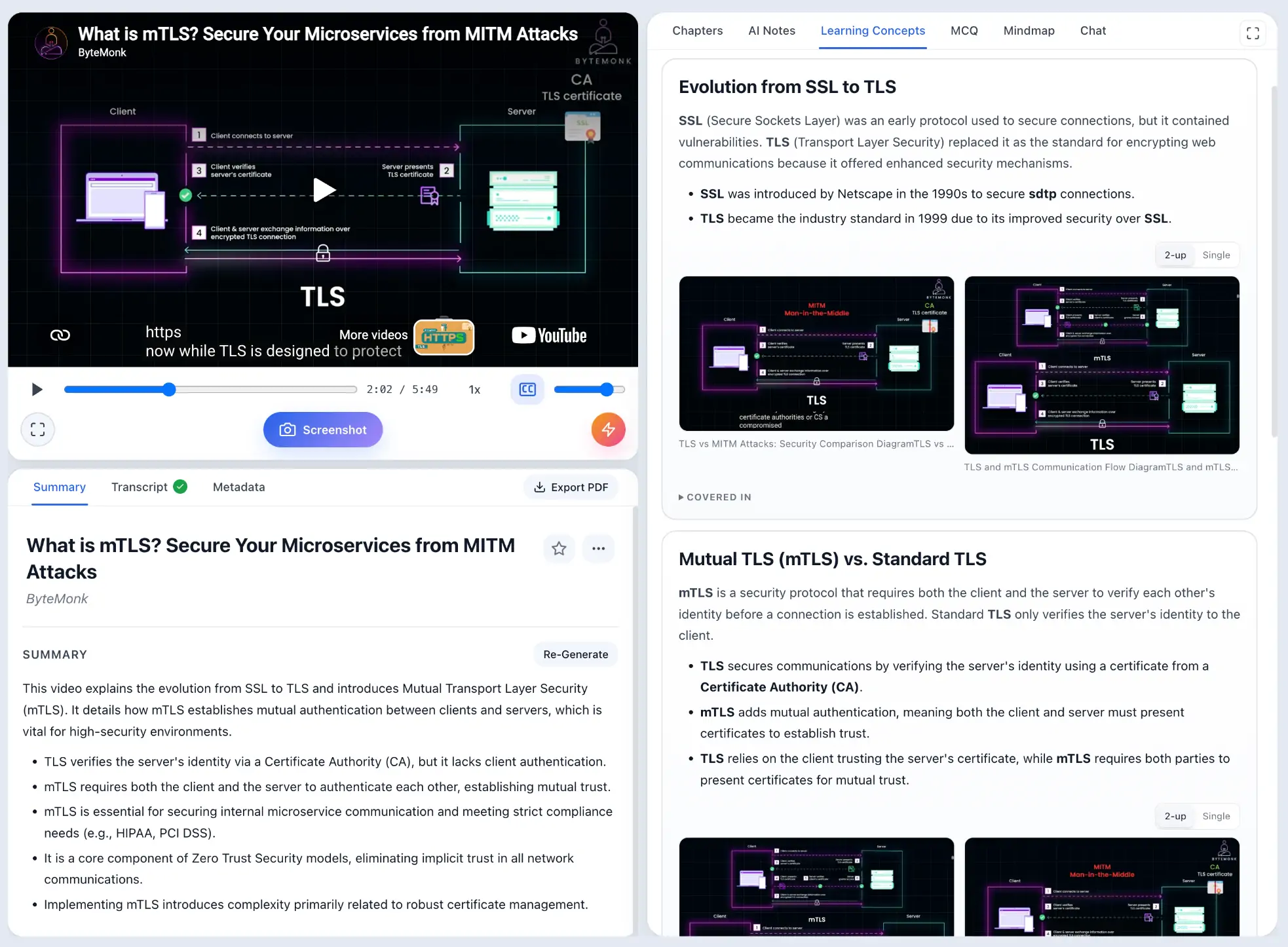
Search what you remember imperfectly
You rarely remember an exact filename six months later. You remember a fragment: “the Redis fragmentation explanation”, “the diagram about vector search”, or “the lecture that compared consumer groups”. Search is built for that retrieval problem and keeps each match linked back to the saved source.
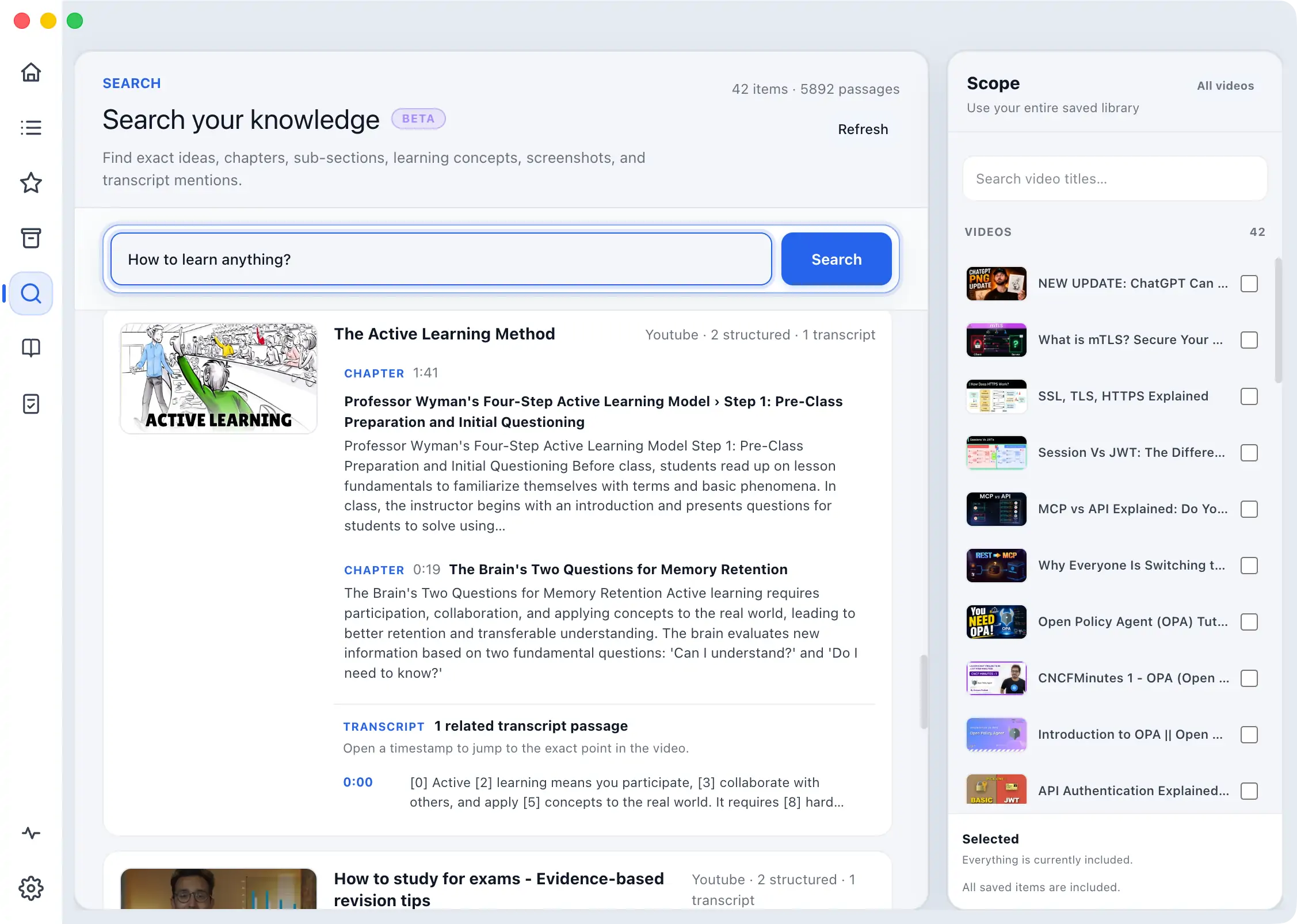
Ask across several saved videos
Ask Knowledge Base is the library-wide counterpart to per-video chat. Use it when the answer may require material from several lessons. The goal is not generic AI prose; the value is that the answer remains grounded in the material you actually saved and can point you back toward its evidence.
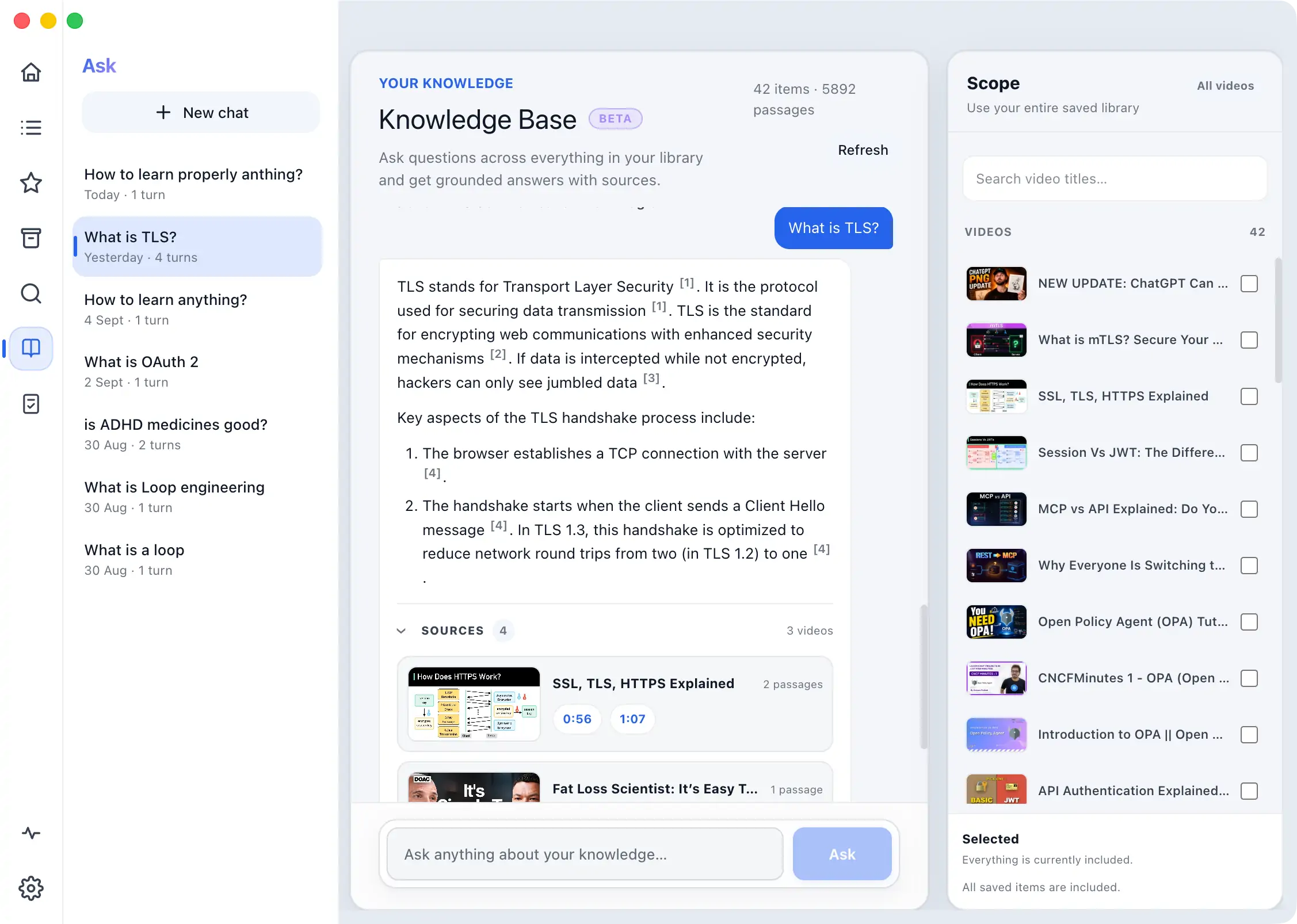
Turn the library into practice
Test Me creates active-recall practice from saved knowledge and tracks assessment performance. For one specific video, Video Quizzes work from that video's Learning Concepts so you can continue through concepts that have not yet been tested.
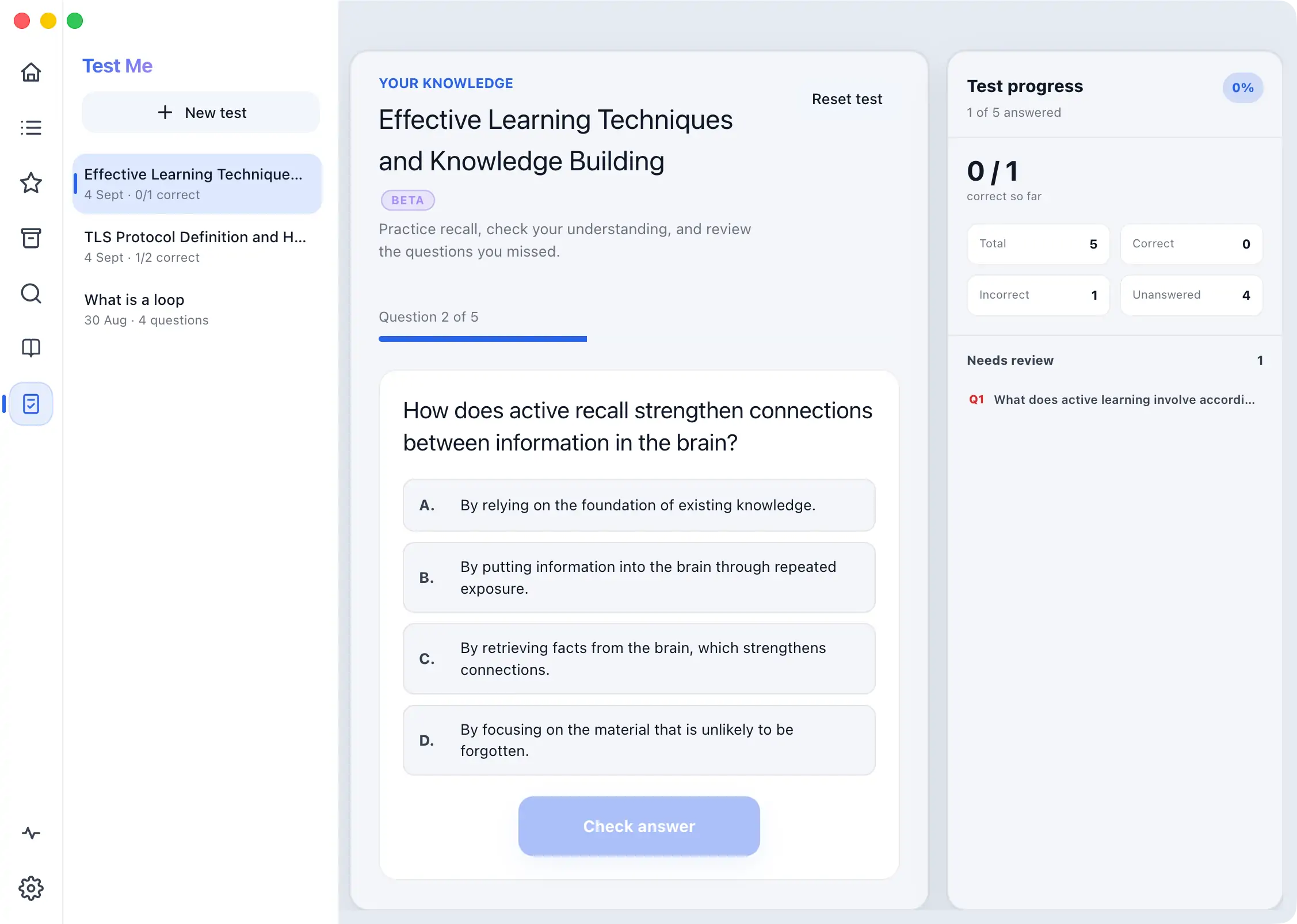
What makes this different from a text-only knowledge base
ScribeShot begins with the video itself. A code block, architecture diagram, equation or UI state can be captured as a timestamped screenshot, analyzed, and later participate in retrieval. That matters when the important part of the lesson was shown on screen rather than spoken aloud.
Where ScribeShot is intentionally narrower
ScribeShot's Knowledge Base is currently built from videos saved in ScribeShot. It is not a general-purpose multi-format notebook for arbitrary PDFs, websites, podcasts and office documents. If your main task is synthesizing many different source types, compare ScribeShot with NotebookLM or Recall rather than assuming the products solve the same problem.
Likewise, Test Me provides active recall and assessment, but ScribeShot does not currently claim an automatic scheduled spaced-repetition system.
Local files remain the foundation
The knowledge layer does not replace the source files. Notes and images remain in the folder you control, so the same library can still fit an Obsidian, Finder, Git or Markdown workflow. The index makes that library easier to retrieve from inside ScribeShot; it does not require locking your notes into a cloud notebook format.
The most useful Knowledge Base is a side effect of keeping good source-linked notes. Capture the visual moments, generate chapters and Learning Concepts where they help, and let Search / Ask / Test compound on top of that material.