 ScribeShot
How to take notes from YouTube videos effectively
Good video notes are not a transcript with nicer formatting. They are a retrieval system: enough context to understand the idea later, enough visual evidence to recover what was shown, and enough timestamps to jump back when the note is not enough.
Start with the reason you are watching
Before taking the first note, write one sentence answering: What do I want to get from this video? A developer watching a Kubernetes tutorial, a student revising calculus, and a founder watching a product interview should not produce the same kind of notes.
Your purpose becomes the filter. If the video does not help that purpose, you can skip the section instead of documenting it.
Do not take notes on everything that is interesting. Take notes on what you expect to use, explain, retrieve, compare, practise, or question later.
Use five kinds of notes
- Concept: the idea in your own words.
- Evidence or example: what makes the idea concrete.
- Visual: a screenshot when the screen carries information that speech cannot preserve.
- Question: something you cannot yet explain or want to test yourself on.
- Action: what you will try, build, read, or change after the video.
This keeps notes useful without turning note-taking into stenography. A twenty-minute video may only need a handful of durable notes.
Let timestamps replace unnecessary detail
If a five-minute explanation is clear but too long to rewrite, keep a one-sentence summary and its timestamp. The timestamp is your escape hatch: future you can return to the exact explanation instead of scrubbing through the whole video.
That is why timestamped notes are especially useful for video. Your note does not need to contain every detail when it can point precisely to the source.
Capture visuals selectively
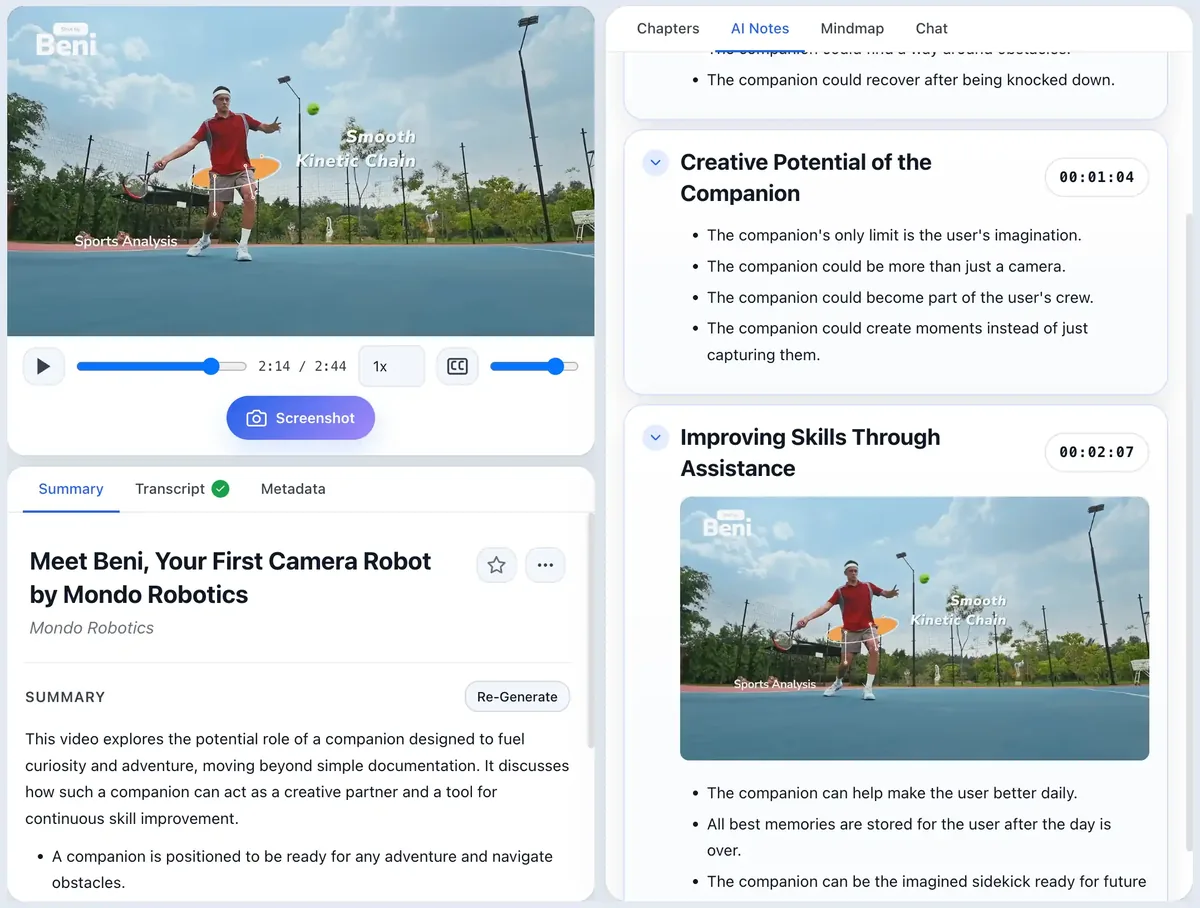
Video carries information through two channels: what is said and what is shown. Transcripts cover the first channel well and the second poorly. Capture the screen when formatting, spatial relationships, state, or appearance carries meaning.
Typical examples include architecture diagrams, annotated slides, equations, code, terminal output, UI state, before-and-after examples, charts, and comparison tables. See the full what to screenshot guide for a tighter decision rule.
Do a second pass only when the material deserves it
Do not automatically rewatch. After the first pass, look at your notes and ask whether you can explain the central idea. If yes, stop. If no, revisit only the weak section. This is more efficient than replaying the full video because your notes tell you exactly where comprehension broke down.
Turn passive notes into something you can retrieve
Once the video ends, close the notes and try to reconstruct the main ideas from memory. Then reopen them and compare. This is a simple form of retrieval practice, and it immediately exposes the difference between “I recognize this” and “I can explain this.”
If the material matters long-term, use the process in active recall with notes and schedule short future reviews instead of rereading everything.
A compact YouTube note structure
# Video title
Why I am watching:

## Main idea
One paragraph in my own words.

## Key concepts
- Concept + timestamp
- Concept + timestamp

## Visuals worth keeping
- Screenshot + why it matters

## Questions
- What can I not explain yet?

## Actions
- What will I do with this?
If you want a fuller reusable version, use the free YouTube notes template.
Where ScribeShot fits
ScribeShot is useful when you want to keep watching instead of constantly switching between the video, a document, screenshots, and timestamps. It generates structured notes from the transcript, keeps captured frames beside the relevant time range, and stores the result as local Markdown. The goal is not to automate learning; it is to remove the clerical work around learning from video.
Common questions
Should I take notes while watching a YouTube video?
Yes when the video contains material you expect to use, revise, apply, or reference later. For entertainment or lightweight browsing, notes often create more friction than value.
Should I pause the video for every note?
No. Pause for things that require precision, such as code, formulas, diagrams, or a definition you want to restate accurately. For ordinary explanation, keep watching and capture only the key idea.
Is a transcript the same as good notes?
No. A transcript is a record of what was spoken. Notes are selective: they keep the concepts, evidence, examples, visuals, questions, and actions that matter to your purpose.
How detailed should YouTube notes be?
Detailed enough that future you can recover the idea without rewatching the whole video, but not so detailed that you are rebuilding the video as text.
Try the workflow on one real video
ScribeShot handles the transcript, structure and timestamps while you capture the visual moments that would be lost as text.
Try 3 videos free • 3 screenshots per video • No credit card • Local AI option