 ScribeShot
Free YouTube notes template
Use this template when you want notes that remain useful after the video ends. It is intentionally selective: concepts, source timestamps, important visuals, questions, actions, and review prompts.
Make a copy and use it on your next video
Free to use. No email, signup or ScribeShot installation needed. Open the downloaded file in any Markdown editor, or copy it into your notes app.
This is a manual study template, not an exact reproduction of AI-generated ScribeShot notes. It uses two heading levels. Repeat a topic section when needed and delete anything that does not help with this lesson.
# Video title
Source URL:
Creator:
Date watched:
Why I am watching:
## Main idea
Explain the idea in your own words.
## Topic — 00:00
- What it means:
- Why it matters:
- Example or evidence:
- Source timestamp link:
## Visual worth keeping — 00:00

Why I kept this frame:
What the image adds to the explanation:
## Questions and checks
- What can I not explain yet?
- Which claim or detail should I verify against the source?
## Put it into practice
- [ ] Something to try, build, read or change
## Review from memory
- Question:
- My answer before checking:
- Correction and source timestamp:
## Follow-up sources
- Original code, documentation or related lesson:
A filled example: chatbots and AI agents
This is a manually written study example, not generated ScribeShot output. The source is MaxonShire's AI Agents Explained in 5 Minutes. Notice how one idea, one useful frame and a review question are enough to make the note reusable.
# AI agents: response versus execution
Source: https://www.youtube.com/watch?v=sJDrJNyqGdU
Creator: MaxonShire
Why I am watching: Understand when a task needs an agent.
## Main idea
A chatbot responds to a prompt. An agent can work toward a goal
by choosing actions, using tools and checking the results.
## Chatbots versus agents — 00:09
- A comparison table can be a chatbot response.
- Completing a task across tools may need an agent workflow.
- Check the source: https://www.youtube.com/watch?v=sJDrJNyqGdU&t=9
## Visual worth keeping — 00:48
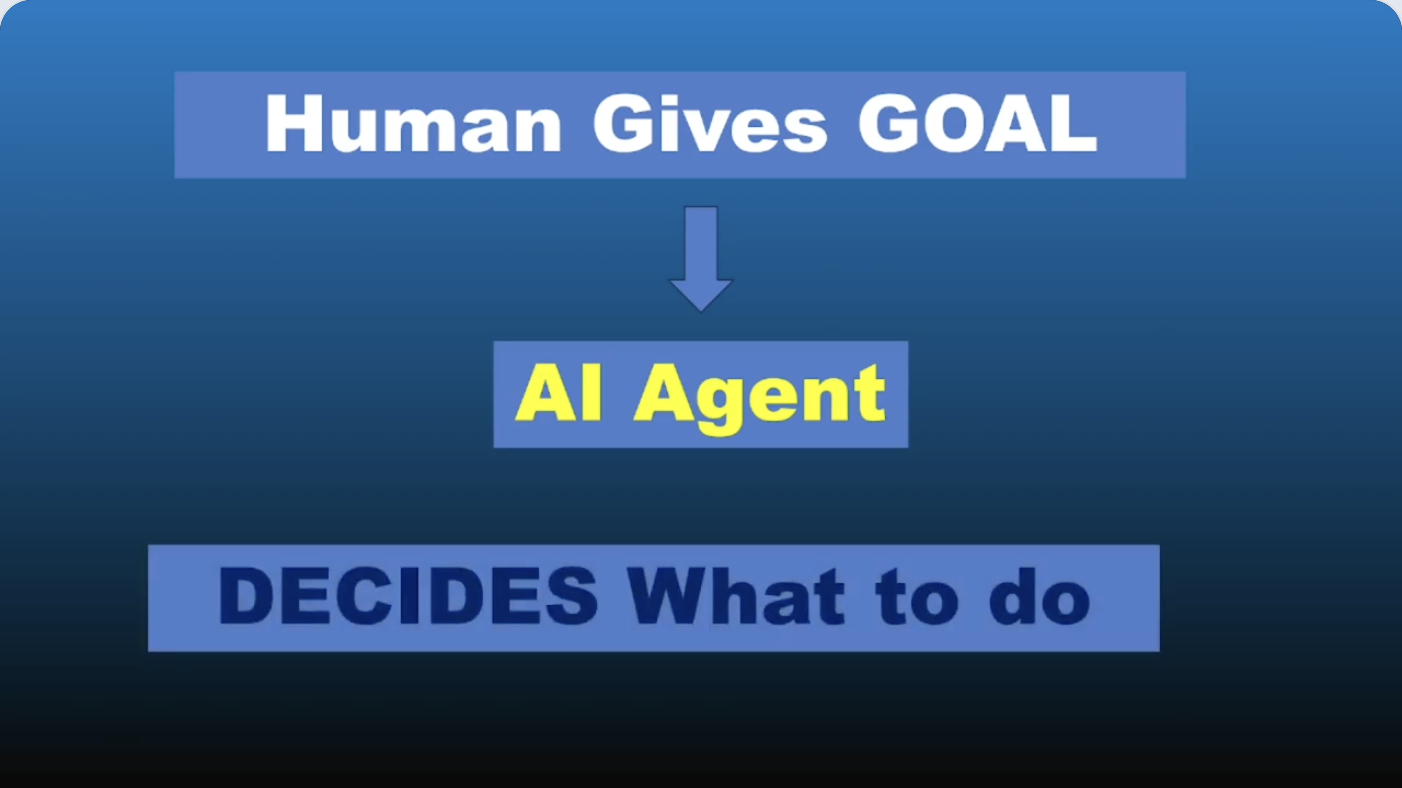
Why I kept it: The arrow connects the human goal to the agent
that decides what to do. Keep both labels with the arrow.
## Put it into practice
- [ ] Choose a task I do and list whether it needs a response
or a sequence of actions with checks.
## Review from memory
- Question: How does an agent differ from a fixed automation?
- My answer: An agent can choose its next action from results.
- Source to check: https://www.youtube.com/watch?v=sJDrJNyqGdU&t=96Why each section exists
Why I am watching gives the note a filter. Main idea forces compression. Key concepts preserve the material you expect to retrieve. Visuals keep information that cannot survive as transcript text. Questions expose gaps. Actions convert consumption into use. Review questions make future active recall possible.
For lectures
Add definitions, worked examples, formulas, and likely assessment questions. When a lecturer builds a diagram over several minutes, keep the completed visual and the timestamp where the explanation is clearest.
See the more specific YouTube lecture notes guide.
For coding tutorials
Add commands, repository links, environment assumptions, error states, and implementation decisions. Do not rely on the transcript for syntax. If the instructor provides source code, link to the source rather than treating a screenshot as canonical code.
See notes from coding tutorials and technical talks.
For research and interviews
Keep claims, evidence, names, numbers, disagreements, and follow-up sources. Timestamp anything you may want to quote, verify, or revisit in context.
Do not let the template become homework
A useful template should reduce decisions, not create obligations. If a section stays empty because the video did not contain that kind of information, leave it empty or delete it. The quality of the selection matters more than how complete the document looks.
Common questions
Can I use this YouTube notes template in Obsidian?
Yes. The template is plain Markdown and works in Obsidian, VS Code, Typora, iA Writer, GitHub, or any editor that supports Markdown.
Should I fill every section for every video?
No. Delete sections that do not serve your purpose. A template is a prompt for good decisions, not a form you must complete.
Can I use the template for lectures and coding tutorials?
Yes. For coding tutorials, emphasize screenshots, commands, code sources, and actions. For lectures, emphasize concepts, examples, questions, and review prompts.
Prefer the structure to build itself?
ScribeShot can generate the transcript-based structure and timestamps while you decide which visual moments deserve to be kept.
Try 3 videos free • 3 screenshots per video • No credit card • Local AI option