What should you screenshot when taking notes from YouTube?
Screenshot the moment when converting what you see into plain text would damage the information. That single rule prevents both extremes: missing important visual context and collecting hundreds of useless frames.
Screenshot when spatial structure carries meaning
Architecture diagrams, flow charts, annotated slides, maps, geometry, mind maps, and system diagrams encode relationships through position and shape. Rewriting every box and arrow is usually slower and less faithful than keeping the visual.
Screenshot when exact formatting matters
Code, terminal commands, equations, configuration files, spreadsheet formulas, and structured tables are easy to corrupt when captured through speech transcription. Keep the frame, then add one sentence explaining why it matters.
Screenshot state changes
UI tutorials often depend on what a screen looks like before and after an action: a selected setting, an error state, a layer panel, a browser network request, or a chart after a filter is applied. Those states are difficult to reconstruct from narration alone.
Screenshot evidence, not decoration
A chart that supports an argument is evidence. A title card, stock photo, presenter reaction, or decorative background usually is not. Ask whether the image would help future you understand, verify, reproduce, or compare something.
The two-question test
1. Would I lose important information if this became text only? 2. Can I name how I will use this image later?
If both answers are no, do not capture it.
Three real frames: what to keep and what to skip
These frames were captured from public YouTube lessons. Each decision starts with the future use of the note. The goal is to keep useful evidence, not to collect every screen.
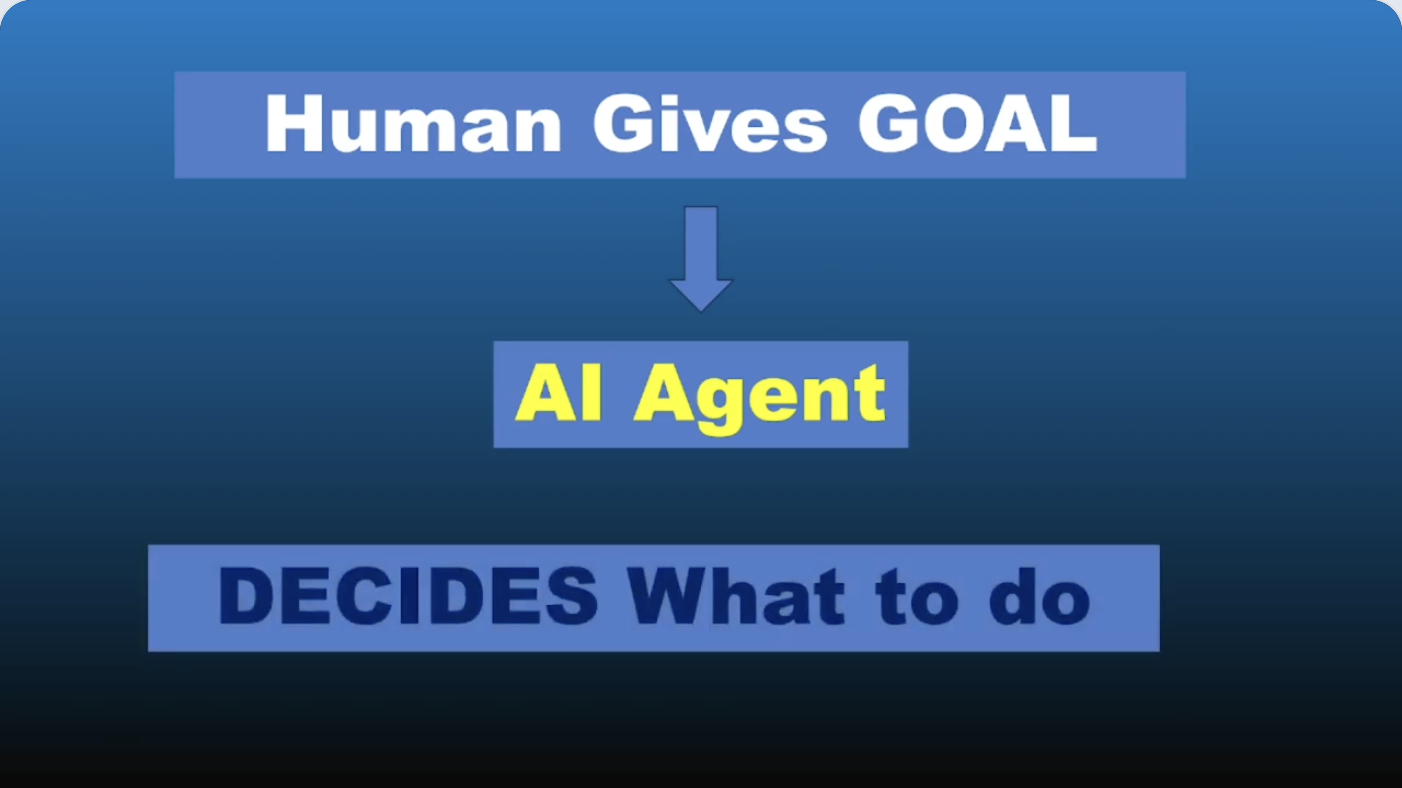
Keep: the complete goal-to-agent diagram, because its arrow and labels show who supplies the goal and who chooses the actions. Skip: another capture of the same diagram unless a new label changes the explanation.
A useful caption: “A human supplies the goal; the agent decides what to do. Keep the arrow and both labels together.”
2. Code and notation: keep context, link to the implementation
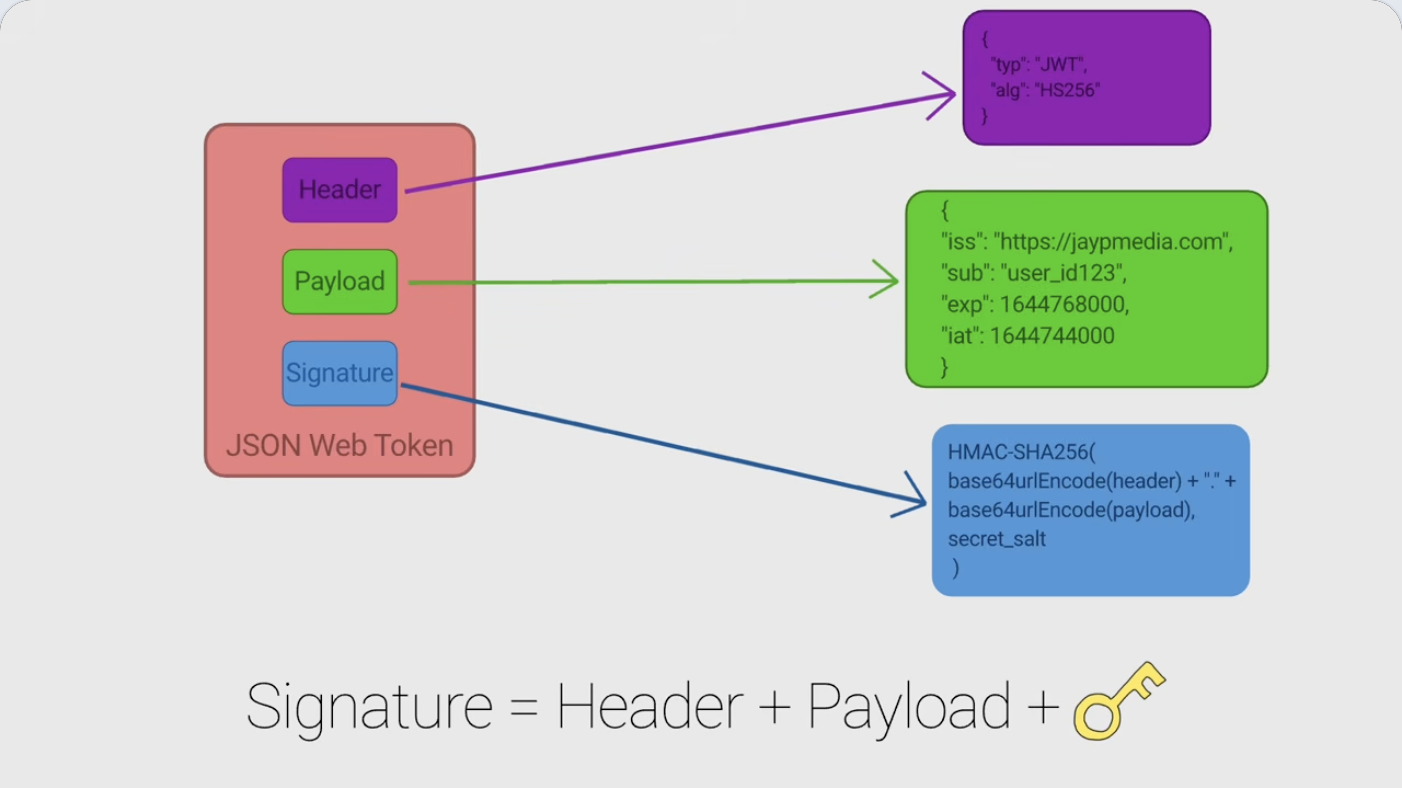
Keep: the full mapping between the labels and code-like blocks. Cropping only the expression would lose what each input refers to. Skip: copying the illustration as if it were runnable production code.
A useful caption: “This frame maps the token's parts to the example fields and signing inputs.” For a coding tutorial, also save the original repository or documentation link, language/library version, exact command and error text. A screenshot supplements those details.
3. A tool before it runs: usually skip the empty state
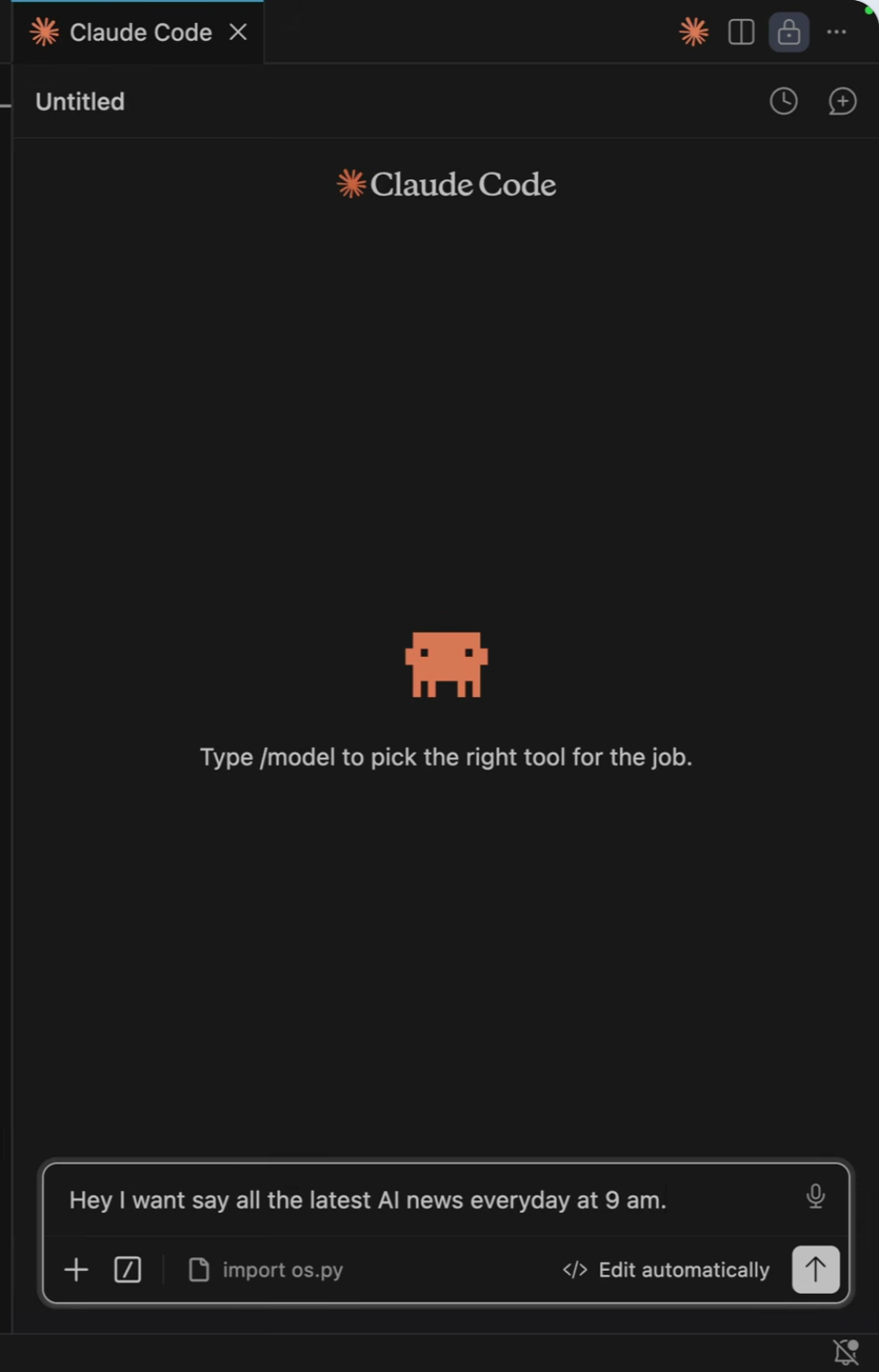
Skip: this frame when your question is whether the workflow succeeded; it shows a prompt, not its result. If the prompt itself is what you need, save its text and timestamp.
Keep instead: the later state that reveals a meaningful setting, error, changed file or verified result. For a before/after pair, capture both only when the difference answers your question.
A useful caption for that later frame: name the action and the observable change, then record the source timestamp. Avoid labels such as “important screen” that force you to rewatch to understand it.
whiteboards where layout reflects the explanation.
Screenshots you can usually skip
talking heads;
intro and title slides;
paragraphs already captured well by the transcript;
repeated views of the same state;
every slide “just in case”;
images you cannot explain without rewatching the video.
Add a caption or concept beside every screenshot
A screenshot without context decays quickly. Future you needs to know what to notice. Write a short note such as “Back-pressure sits between consumer and producer” or “This flag disables certificate verification — do not use in production.”
ScribeShot automates the filing part: the screenshot is kept under the timestamped note section it belongs to. You still provide the judgment about which moment is worth capturing.
Written by Disha Kalra, creator of ScribeShot·Updated
Common questions
Should I screenshot every slide in a lecture?
Usually no. Capture a slide when its layout, diagram, notation, table, or visual relationship adds information that your short written note would lose.
Is it better to screenshot code or copy it?
If you need runnable code, prefer the original repository or text source when available. A screenshot is useful for preserving the exact on-screen state, surrounding context, or code that is not provided elsewhere.
How many screenshots should I take?
There is no ideal number. A useful constraint is to capture only images you can explain why you kept. If you cannot name the future use, skip the screenshot.
Keep the visual moments that text loses
With ScribeShot, captured frames stay beside the relevant timestamped note instead of becoming an unlabeled screenshot folder.
 ScribeShot