 ScribeShot
How to take timestamped notes on YouTube
A timestamp turns a note into an index. Instead of trying to preserve the whole explanation, you keep the idea you need and a precise route back to its source.
Why timestamps change the way you take notes
Without timestamps, you tend to over-document because you are afraid of losing context. With timestamps, a note can stay compact. “Event sourcing keeps an append-only history — 18:42” may be enough because the original explanation is one click away.
This is particularly valuable when the video contains demonstrations or visuals. A textual description of an architecture diagram can be less useful than a one-line takeaway plus the exact moment the diagram appears.
What deserves a timestamp
- a definition you may quote or verify later;
- a worked example or demonstration;
- a slide, chart, diagram, equation, code block, or UI state;
- a claim where the surrounding context matters;
- a section you did not fully understand;
- a moment that triggers a concrete action or follow-up question.
You do not need a timestamp beside every sentence. The point is navigation, not decoration.
A manual workflow that stays lightweight
- Keep the video playing until you reach something worth preserving.
- Write the idea in your own words.
- Copy the current timestamp.
- If the visual itself matters, capture it too.
- Resume playback instead of polishing the note.
At the end, do a quick cleanup pass. Merge duplicate bullets and turn unresolved points into questions.
Use timestamps as a review tool
When reviewing, do not automatically reopen the video. First try to explain the concept from the note. Only use the timestamp when your explanation is incomplete, uncertain, or missing visual context. That keeps review active rather than turning it into another passive watch.
Notes are the default. The timestamp is the fallback. If every review sends you back to the video, the notes are too thin. If you never need the source again, you may be writing more than necessary.
Timestamped screenshots are stronger than a screenshot folder
A directory full of PNG files loses the reason each image mattered. A screenshot beside a timestamped concept preserves three things together: the visual, the explanation, and the source moment.
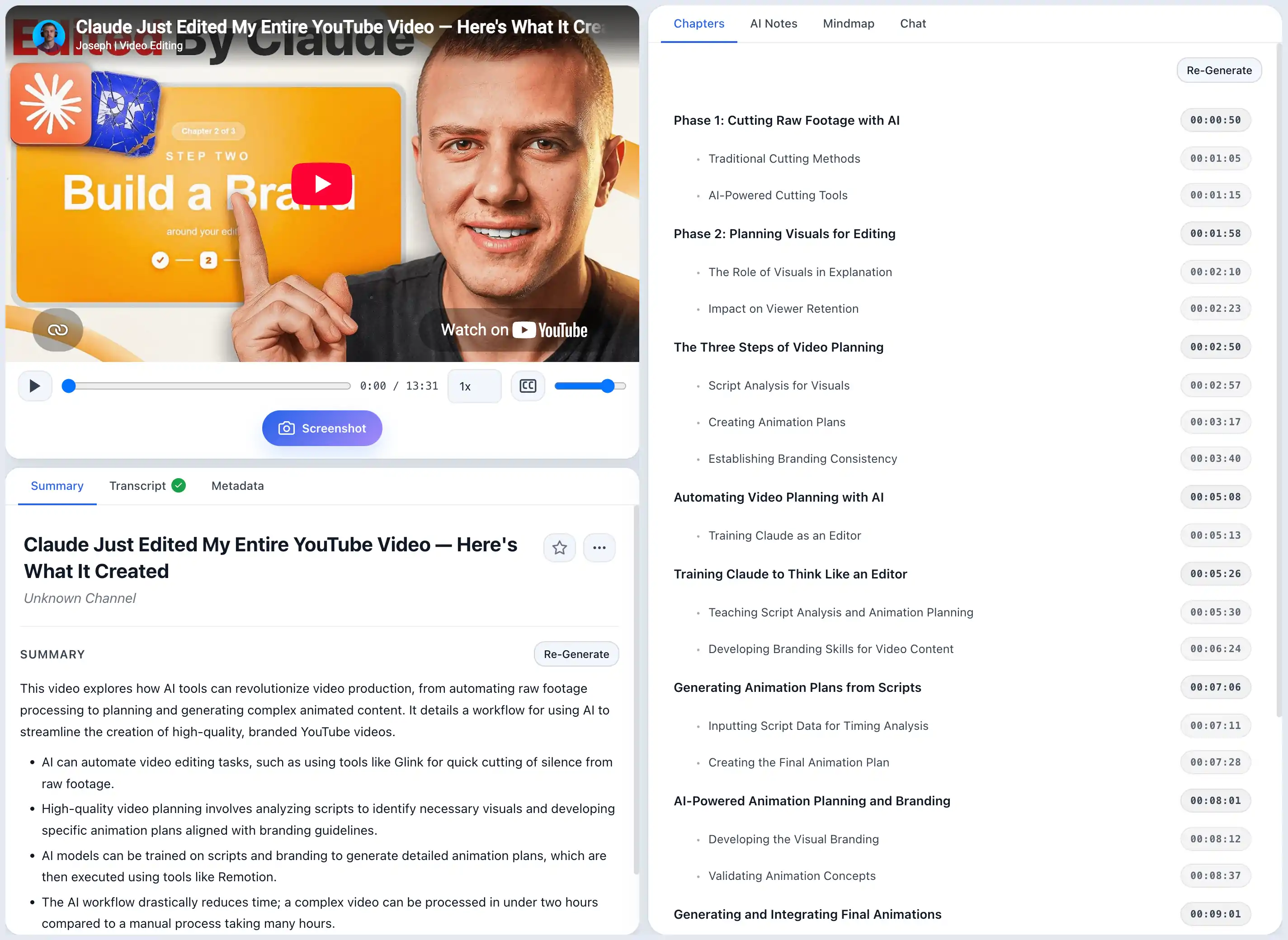
This is the core idea behind ScribeShot's screenshot-aware notes. Captured frames are placed under the note section whose time range they belong to instead of being stored as detached images.
Common questions
Why add timestamps to YouTube notes?
Timestamps let a short note point back to the full explanation. They are especially valuable for technical demonstrations, lectures, interviews, and any topic where context matters.
Should every bullet have a timestamp?
No. Add timestamps to claims, examples, visuals, demonstrations, definitions, or explanations you may realistically revisit.
What timestamp format is easiest to read?
Use the video-native format: MM:SS for shorter videos and HH:MM:SS for longer ones. Make the timestamp clickable when your note format supports links.
Make timestamps automatic
ScribeShot organizes generated notes and captured screenshots around real video timestamps, so your notes remain connected to the source.
Try 3 videos free • 3 screenshots per video • No credit card • Local AI option