 ScribeShot
YouTube summary vs transcript vs notes: what should you keep?
A transcript, a summary, and a set of notes solve different problems. Treating them as interchangeable is why many “video notes” either become walls of text or lose the details you actually wanted to keep.
Transcript: best for source coverage
A transcript is close to the spoken record. It is useful when you need to search what someone said, inspect surrounding wording, or recover details an aggressive summary removed.
Its weakness is selectivity. A forty-minute transcript is still forty minutes of speech turned into text, including repetition, filler, transitions, and verbal explanations that may only make sense beside the screen.
Summary: best for orientation
A summary answers “What is this broadly about?” It is excellent for triage: deciding whether a video deserves your time, remembering the central argument, or scanning several sources quickly.
Its weakness is compression. The examples, caveats, evidence, source phrasing, and visual demonstrations that made the argument useful may disappear.
Notes: best for your future use
Good notes are purpose-built. They can combine a concise explanation, a timestamp, a screenshot, a question, a decision, and an action. They do not need to preserve everything because they remain connected to the source.
| Artifact | Best for | Main weakness |
|---|---|---|
| Transcript | Search, spoken source detail, quotation context | Too verbose; weak on visual information |
| Summary | Gist, triage, fast orientation | Loses examples, nuance and evidence |
| Structured notes | Learning, reference, application, review | Requires selection and organization |
| Screenshot | Visual evidence, diagrams, code, state | Needs a caption and source context |
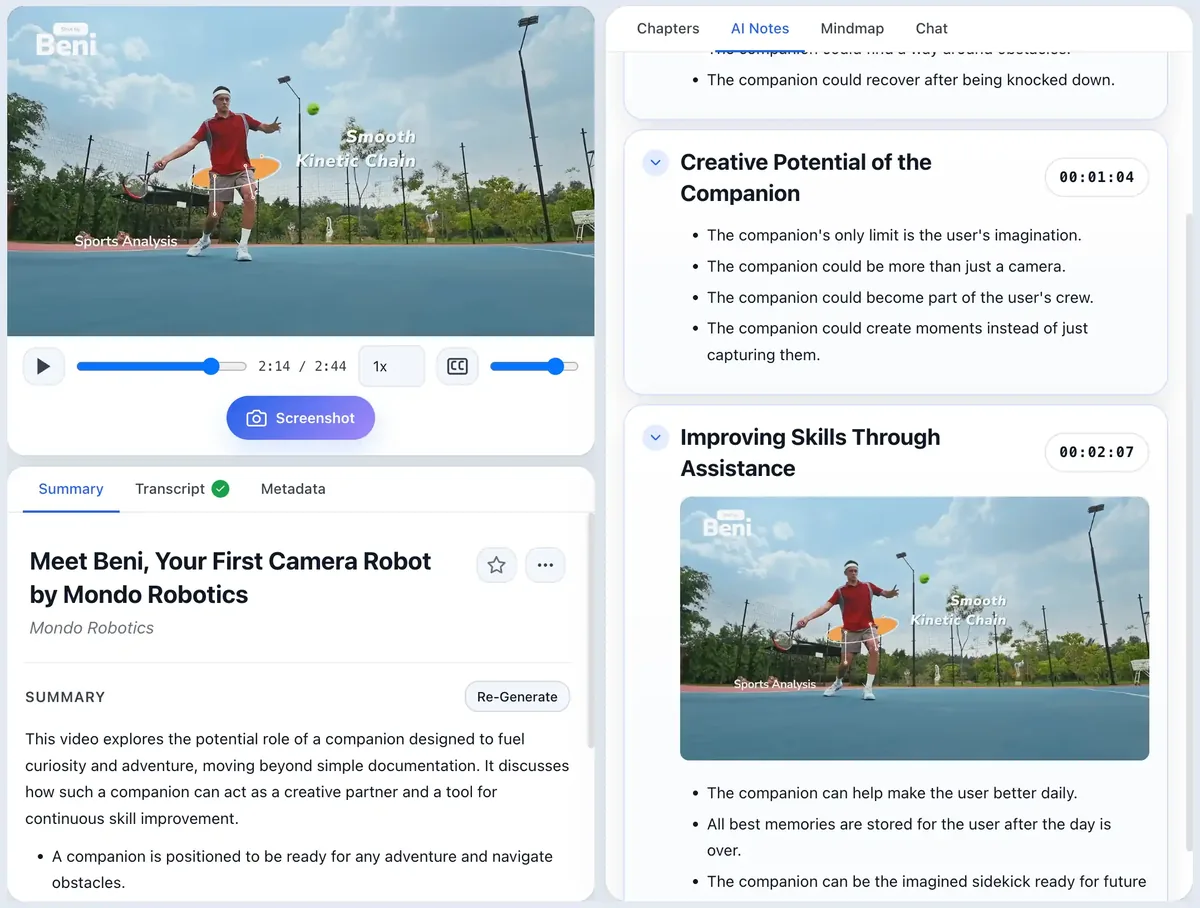
The strongest video note uses layers
Keep a short summary at the top, structured notes underneath, timestamps as source links, screenshots where visual information matters, and the transcript as a searchable fallback. Each layer earns its place by solving a different retrieval problem.
Do not save a transcript just because it exists
If you never search raw speech, the transcript can remain an implementation detail. If you do research, fact-checking, or detailed technical work, keeping it locally can be valuable because it preserves material the notes intentionally omit.
Do not ask a summary to replace visual evidence
When an instructor says “this part talks to this service” while pointing at a diagram, a text-only summary may preserve the sentence and lose the relationship. The same problem appears with code, equations, charts, and UI demonstrations. See transcript vs visual notes and what to screenshot.
A practical default
For material worth keeping long term: summary for orientation + selective notes for understanding + timestamps for provenance + screenshots for visual information + transcript as searchable backup.
Common questions
Is a YouTube transcript enough for studying?
A transcript is useful for search and quoting speech, but it is verbose and can miss visual information. For studying, selective notes and questions are usually easier to review.
When is an AI summary enough?
A summary is often enough when you only need the gist or want to decide whether the full video is worth your time. It is weaker when you need evidence, examples, exact source context, or visual demonstrations.
What should I save long term?
Save the smallest durable artifact that supports your future use: often structured notes with source timestamps, plus screenshots for visuals that cannot be reconstructed from text.
Keep more than a generated summary
ScribeShot combines transcript-derived structure with your captured visual evidence and source timestamps in local Markdown notes.
Try 3 videos free • 3 screenshots per video • No credit card • Local AI option