The words, without the frame
You can read what was said, but a reference such as “look at the diagram” has lost the information that was on screen.
 ScribeShot
Rewatching is the worst possible strategy if sustained attention is what you struggle with, and it is the one every video tool pushes you toward. This page describes a workflow built around short active passes, easier re-entry, and less hunting through old videos — while being clear about where a notes app stops helping.
Everyone loses the thread in a long video. The difference is what it costs to recover it. If you look up after drifting and have no idea where you are, the only options a normal player gives you are scrubbing blindly or starting again — both of which spend more of the attention you had already run out of.
So the twenty-minute video becomes forty minutes, then gets abandoned at minute six on the third attempt, and the tab stays open for a week. The problem is not the video and it is not effort. It is that the format demands one long unbroken pass, and offers nothing when that pass breaks.
The workflow below is not about focusing harder. It is about making the video survivable in pieces, so that drifting costs you seconds instead of the whole session.
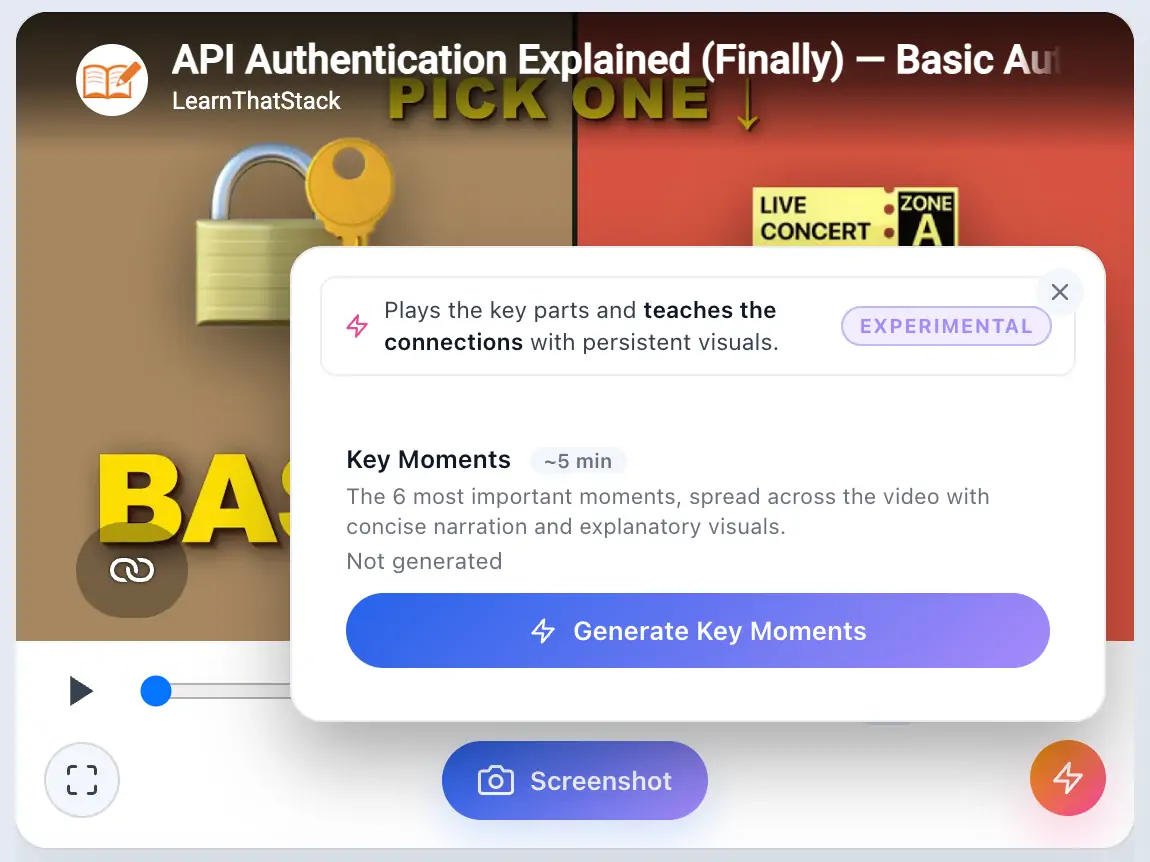
A full watch is not always the right first step. AI Video Highlights plays the substantive moments in order and uses short spoken connectors across the parts it skips. It gives you a quicker route through the argument without turning the video into a wall of summary text.
If one moment needs more context, leave Highlights and continue from the real timestamp. The point is not to promise better focus; it is to make the first pass smaller and easier to resume.
A summary tells you what a video contained. It does not help you re-enter a video you drifted out of, because it has no timeline — there is nowhere to jump back to.
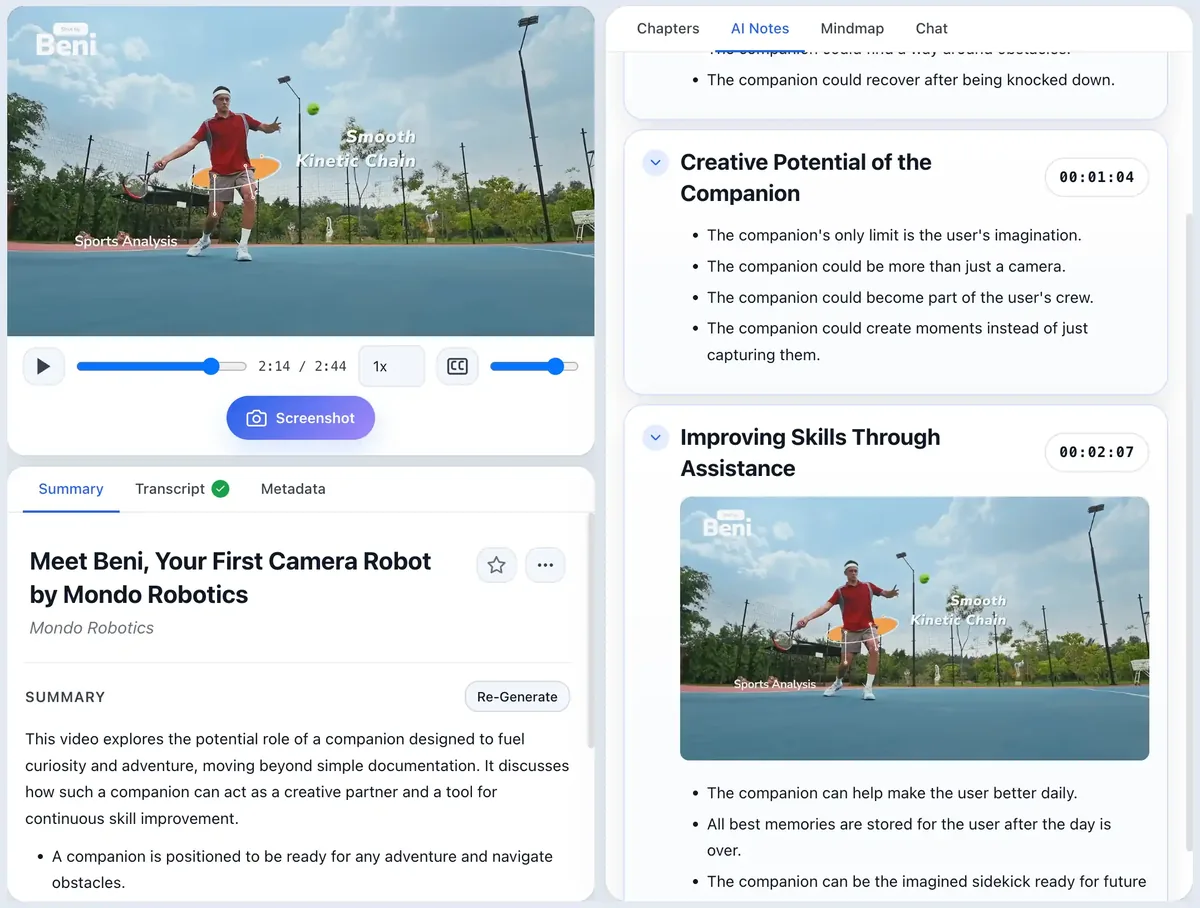
Screenshots work differently. A captured frame is filed under the section whose timestamp it falls in, so your notes end up as a visual index of the video: the diagram that mattered, sitting next to the point where it appeared, one click from the moment it was explained. Recognising a picture is a much lighter task than reconstructing an argument from memory, and it gives you a way back to the video rather than a replacement for it.
This is also why a transcript alone is not enough. Anything shown but never said out loud — a slide, a diagram, a line of code — simply is not in the transcript.
You can read what was said, but a reference such as “look at the diagram” has lost the information that was on screen.
The captured diagram sits under its timestamped section, making it easier to recognise the moment and jump back to the explanation.
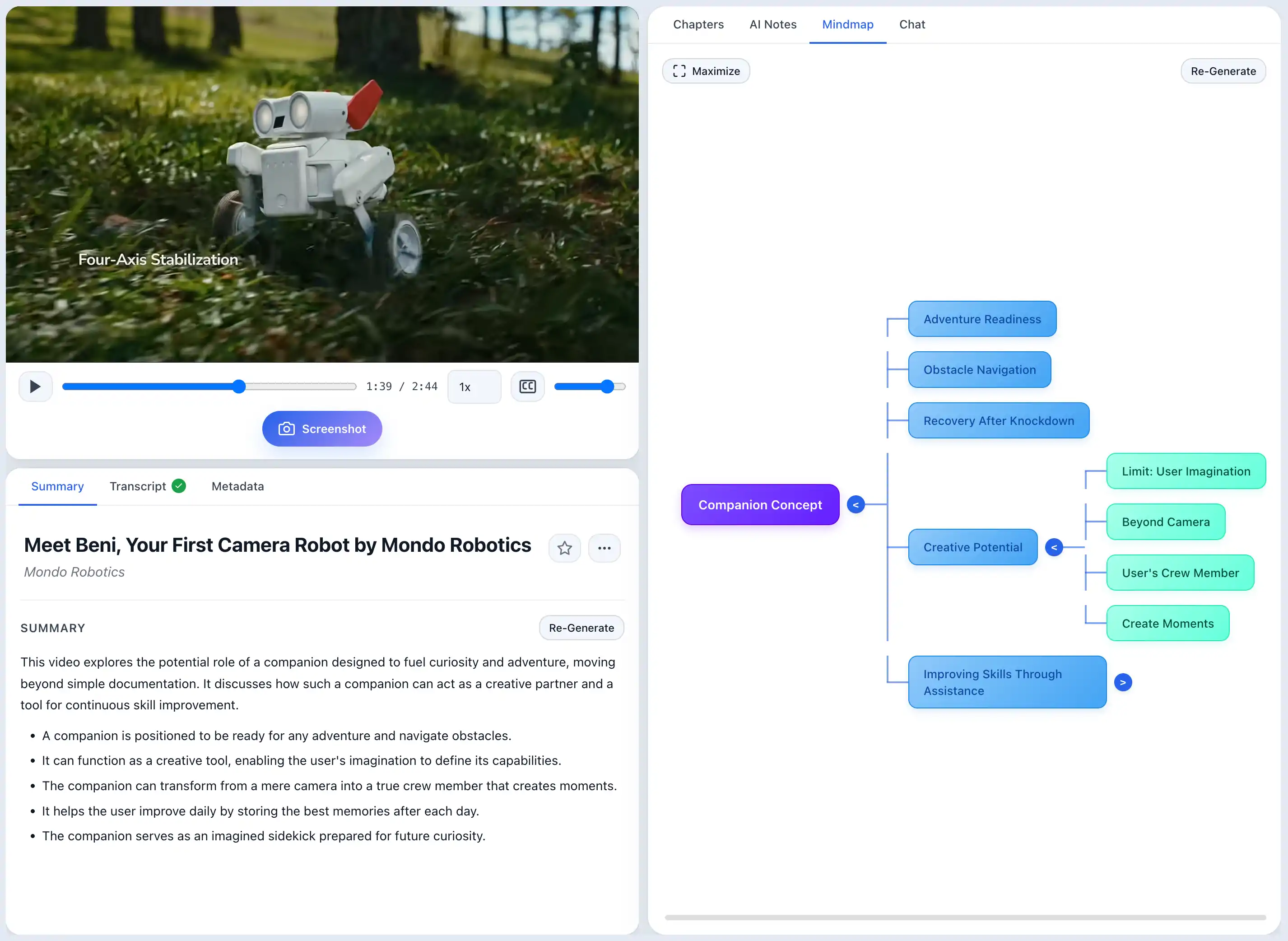
Some people prefer a visual overview; others do not. ScribeShot's mind map is useful when it reduces reading for you: expand only the branch you need, then click a node to jump to the moment where that idea was explained. The app does not assume that every person with ADHD learns through mind maps.
This is where a saved library matters more than a good single-video note. Knowledge Search can look across what you have already processed and show the videos and matching chapters most related to the thing you remember. Ask Knowledge Base can then answer across that material without making you first identify the source yourself.
That reduces a particular kind of friction: opening five old notes, guessing search terms, and abandoning the task before you find the one relevant section.
Test Me creates active-recall questions from saved material. The useful distinction is that you try to produce the answer first rather than reading it again. When you miss something, the saved notes remain there as the place to review it. This is a study workflow feature, not a claim about treating attention or memory conditions.
Three videos free with three screenshots each, no signup and no card. Use them on material you have already started or abandoned, then try Search or Test Me across the saved set. If the workflow does not fit how you work, you have lost nothing.
Two smaller things that matter more than they sound.
The app does not nag. There is no streak, no daily goal, no notification asking why you have not opened it. It processes a video when you give it one and is otherwise silent.
It is a one-time purchase. No monthly charge quietly renewing on a tool you used properly for three weeks and then did not. You buy it once, and if you drift away and come back in four months it is still there, with your notes as plain Markdown files on your own disk — readable whether or not you ever open ScribeShot again.
It is a notes and learning app, not a treatment or a therapy tool. ScribeShot makes one specific class of tasks — getting usable knowledge out of long videos and finding it again later — less dependent on rewatching. It makes no medical claim, and nothing here is medical advice.
It does not make you start. Task initiation is the hardest part for a lot of people and no software solves it. What the chapters change is the size of the thing you are starting: skimming a structure is a smaller ask than committing to forty minutes.
YouTube only. Videos hosted on Panopto, Echo360, Canvas, Vimeo, or as Zoom recordings will not work.
macOS only for now. Windows support is in progress.
No. It is a notes app that happens to suit a workflow of short active passes rather than one long passive one. It makes getting usable notes out of a long video cost less attention, and it claims nothing beyond that. It is not a treatment, a therapy tool, or a substitute for medical advice.
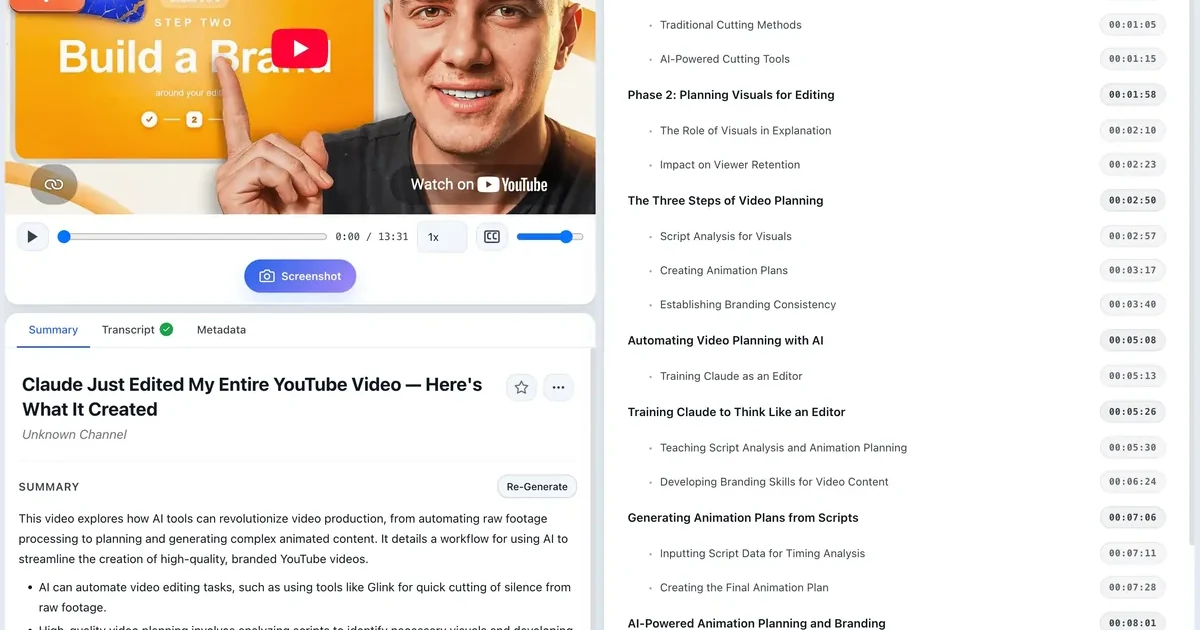
Chapters are anchored to real timestamps, so when you surface and do not know where you are, you jump to the nearest chapter heading instead of scrubbing blindly. Losing the thread costs seconds rather than restarting the video.
A summary has no timeline, so it cannot get you back into a video you drifted out of. A screenshot is filed under the section whose timestamp it falls in, which turns your notes into a visual index: recognise the picture, click back to the moment it was explained.
No. Highlights provides a shorter first pass through selected substantive moments, with spoken connectors across skipped sections. You can return to the complete video at the real timestamp whenever you need more context.
No. Some people find a visual overview useful and others do not. The mind map is optional: expand only the branch you need, or ignore it and use chapters, screenshots, Highlights, or chat instead.
No. There are no streaks, daily goals, or notifications. It processes a video when you give it one and is otherwise silent.
No. It is a one-time purchase. If you use it heavily for a month and then not at all, nothing keeps charging you, and your notes stay readable as plain Markdown files on your own disk either way.
Three videos free with three screenshots each, no signup and no card. One video is enough to tell whether the workflow fits.
Try 3 videos free • 3 screenshots per video • No credit card • Zero AI cost with local LLM