YouTube source access
ScribeShot needs network access to open the source, fetch available transcript and metadata, and play the YouTube video.
 ScribeShot
Fetch a YouTube video and its available transcript, then run the supported AI work locally on your Mac: summaries, chapters, Markdown notes, screenshot understanding, mind maps and video chat. The source still needs the internet; the AI processing does not need a cloud AI provider.
Local-first, with a clear network boundary
ScribeShot needs network access to open the source, fetch available transcript and metadata, and play the YouTube video.
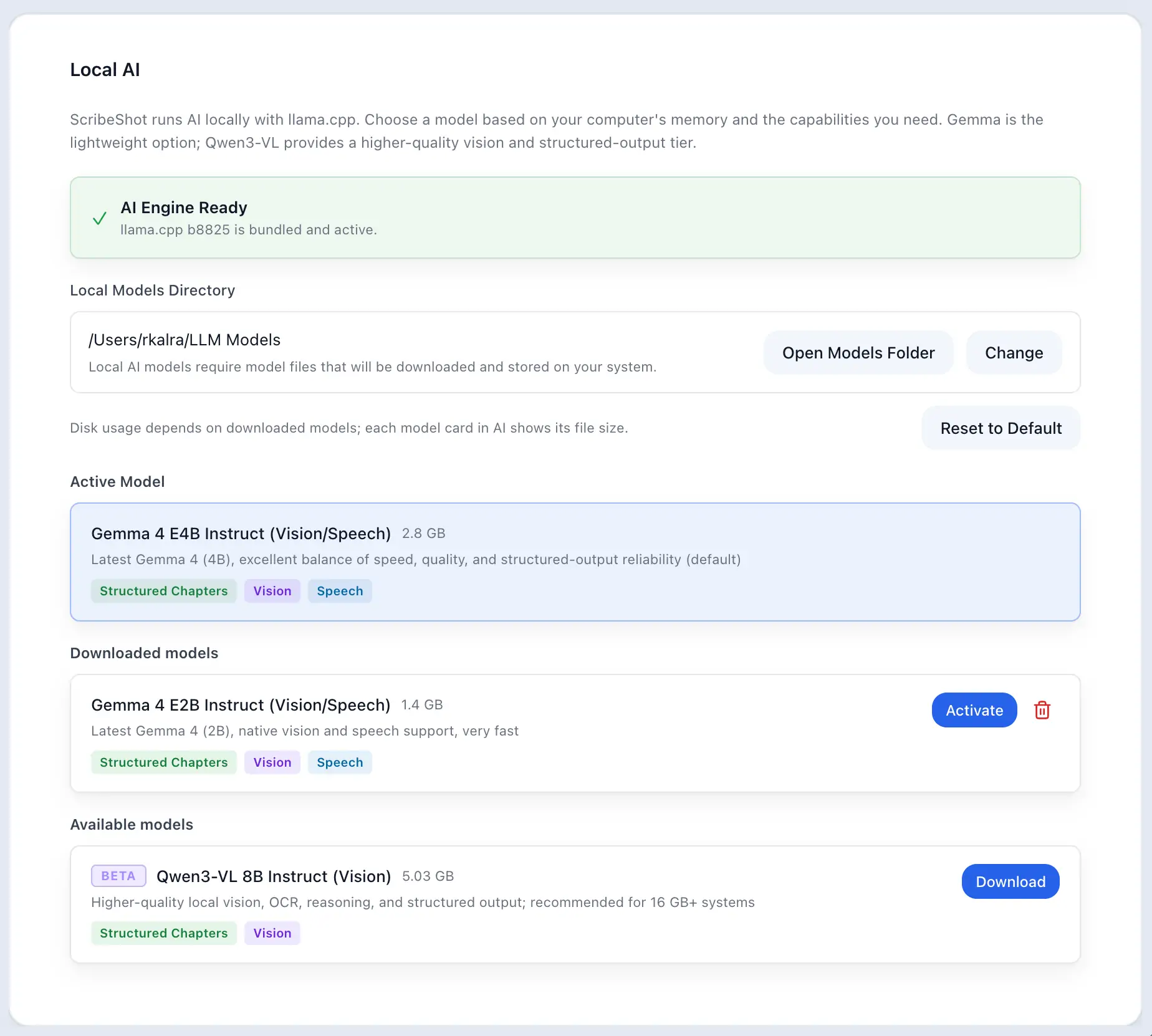
After a supported model is downloaded, supported AI inference runs locally on your Mac.
Notes, transcripts, screenshots, chats and learning artifacts remain ordinary files inside your chosen ScribeShot library.
| Model | Approx. download | Best fit |
|---|---|---|
| Gemma 4 E2B | ~2.0 GB including vision support | Lightweight local processing; a good starting point for an 8 GB Mac. |
| Gemma 4 E4B (default) | ~3.6 GB including vision support | Best general balance for everyday notes, chapters and visual understanding. |
| Qwen3-VL 8B | ~5.8 GB including vision support | Higher-quality local vision, OCR and reasoning; 16 GB+ recommended. |
The useful distinction is between source access and AI processing. YouTube itself is an online source, so ScribeShot cannot fetch a new video or transcript with the network disconnected. Once the source material and model are present, supported AI generation and analysis can run locally without an AI API key.
No. In local mode, all processing runs on your Mac GPU/CPU and data stays on your disk.
An Apple Silicon Mac (M1/M2/M3/M4) with 8GB RAM for Gemma 4 E2B or 16GB+ RAM for Gemma 4 E4B.
No. ScribeShot is a $29 one-time lifetime purchase.
Fetch the YouTube source, then keep the AI processing on your Mac with a supported Gemma 4 model.
Try 3 videos free • 3 screenshots per video • No credit card • Zero AI cost with local LLM