 ScribeShot
Building a Second Brain from YouTube in Obsidian
Turn long YouTube tutorials, lectures, and conference talks into a permanent knowledge base you can use in two ways: search, ask, and test yourself inside ScribeShot, while keeping the underlying Markdown notes, screenshots, and mind maps directly inside your Obsidian vault.
The Challenge of Video Notes in Personal Knowledge Management (PKM)
Obsidian is ideal for managing Markdown text notes, but extracting structured knowledge from video content has historically been tedious. Manually pausing YouTube videos, copying transcripts, taking screenshots, and embedding image files creates significant friction.
There is also a second problem once the vault grows: remembering which video contained the idea you need. File search helps when you know the words to look for, but a useful learning system should also help you retrieve concepts, ask questions across related notes, and practise recall.
ScribeShot before the vault: Search, Ask, and Test Me
ScribeShot treats the saved video library as a personal knowledge base before you ever open Obsidian. Knowledge Search can find relevant videos and group matching chapters under them. Ask Knowledge Base can answer a question using relevant saved material across the library. Test Me turns that material into active-recall questions for review.
Obsidian then plays a different role: it is the broader PKM environment where those durable video notes can sit beside books, meetings, project notes, research, and everything else you keep. You do not have to choose between an intelligent video-learning workflow and open files.
The Native Zero-Plugin Obsidian Workflow
ScribeShot writes standard CommonMark Markdown files with relative image paths directly to a folder on your Mac disk. By setting ScribeShot's output folder inside your Obsidian vault, every processed YouTube video appears in your vault automatically without plugins or export steps:
1. Direct Vault Writing
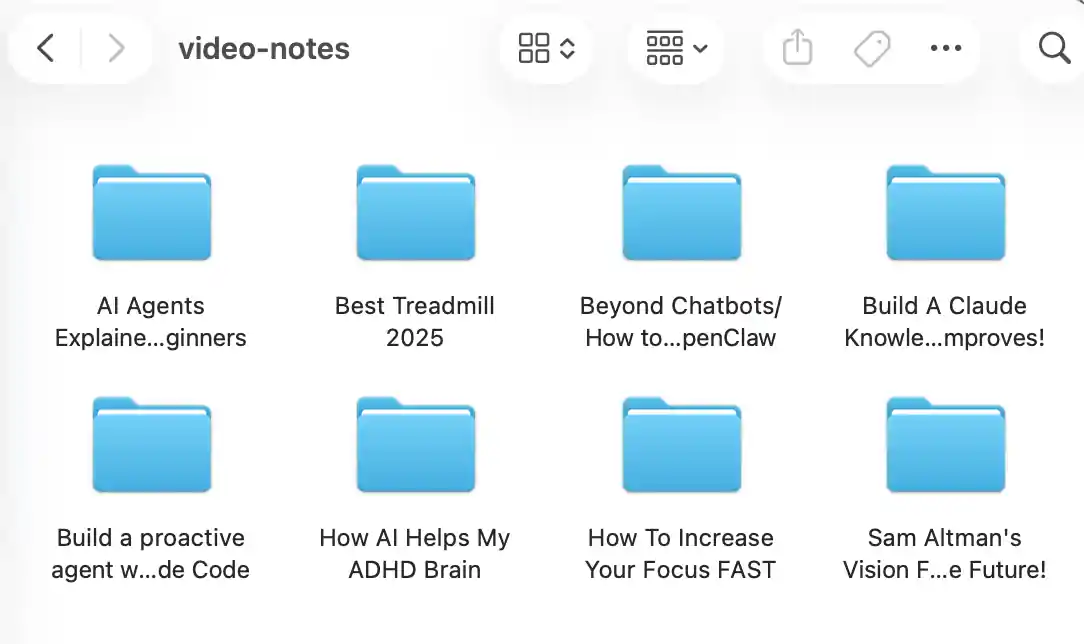
Select your Obsidian vault directory (or a /Video Notes/ subfolder inside it) during ScribeShot setup. Each video gets a dedicated folder containing its notes, transcript, screenshots, chat history, and other generated learning artifacts.
2. Relative Image Embeds
Screenshots land directly inside the video folder and are referenced using standard relative Markdown image syntax (for example ). Obsidian renders these images inline automatically in Reading View and Editing View.
3. Native Mermaid Mind Maps
ScribeShot generates mind-map content using standard Mermaid diagram syntax. Obsidian natively renders Mermaid diagrams, giving you a portable visual representation inside your vault without third-party plugins.
4. Interlinking with Wikilinks
Because generated notes are standard Markdown files in your vault, you can link concepts from video notes to your existing permanent notes using standard Obsidian [[wikilinks]]. Backlinks, graph view, and search continue to work with the files normally.
Summary of Obsidian + ScribeShot Workflow
| Workflow Component | Implementation in ScribeShot | Obsidian Result |
|---|---|---|
| Video capture | Structured notes, chapters, screenshots, transcript | Durable source material in the vault |
| Library retrieval | Knowledge Search across saved videos and chapters | Complementary to Obsidian search and links |
| Questions across saved learning | Ask Knowledge Base | Answers can inform broader permanent notes |
| Active recall | Test Me from saved material | Review happens before or alongside vault synthesis |
| File Format | Standard CommonMark Markdown | Opens natively without conversion |
| Image Storage | Relative image files in local folder | Renders inline automatically |
| Mind Maps | Standard Mermaid syntax | Renders as a portable diagram |
| Plugin Requirement | Zero plugins needed for file access | 100% native vault file reading |
| Sync Compatibility | Local filesystem writes | Compatible with iCloud, Obsidian Sync, Git |
Common questions
Do I need an Obsidian plugin to read ScribeShot notes?
No. ScribeShot writes standard CommonMark Markdown and relative PNG paths directly to your filesystem.
Do Mermaid mind maps render in Obsidian?
Yes. Obsidian natively renders Mermaid diagrams in Reading View.
Can I link video notes to existing vault notes?
Yes. Use standard Obsidian [[wikilinks]] to link video notes to your second brain.
Write YouTube notes straight into your Obsidian vault
Three videos free with three screenshots each, no signup.
Try 3 videos free • 3 screenshots per video • No credit card • Zero AI cost with local LLM