 ScribeShot
YouTube Video to Mind Map Generator for Mac
Automatically convert long YouTube videos, university lectures, and technical talks into clean, interactive mind maps. ScribeShot transforms dense video transcripts into expandable visual topic hierarchies linked directly to video timestamps.
Product docs: Generate and navigate a video mind map →
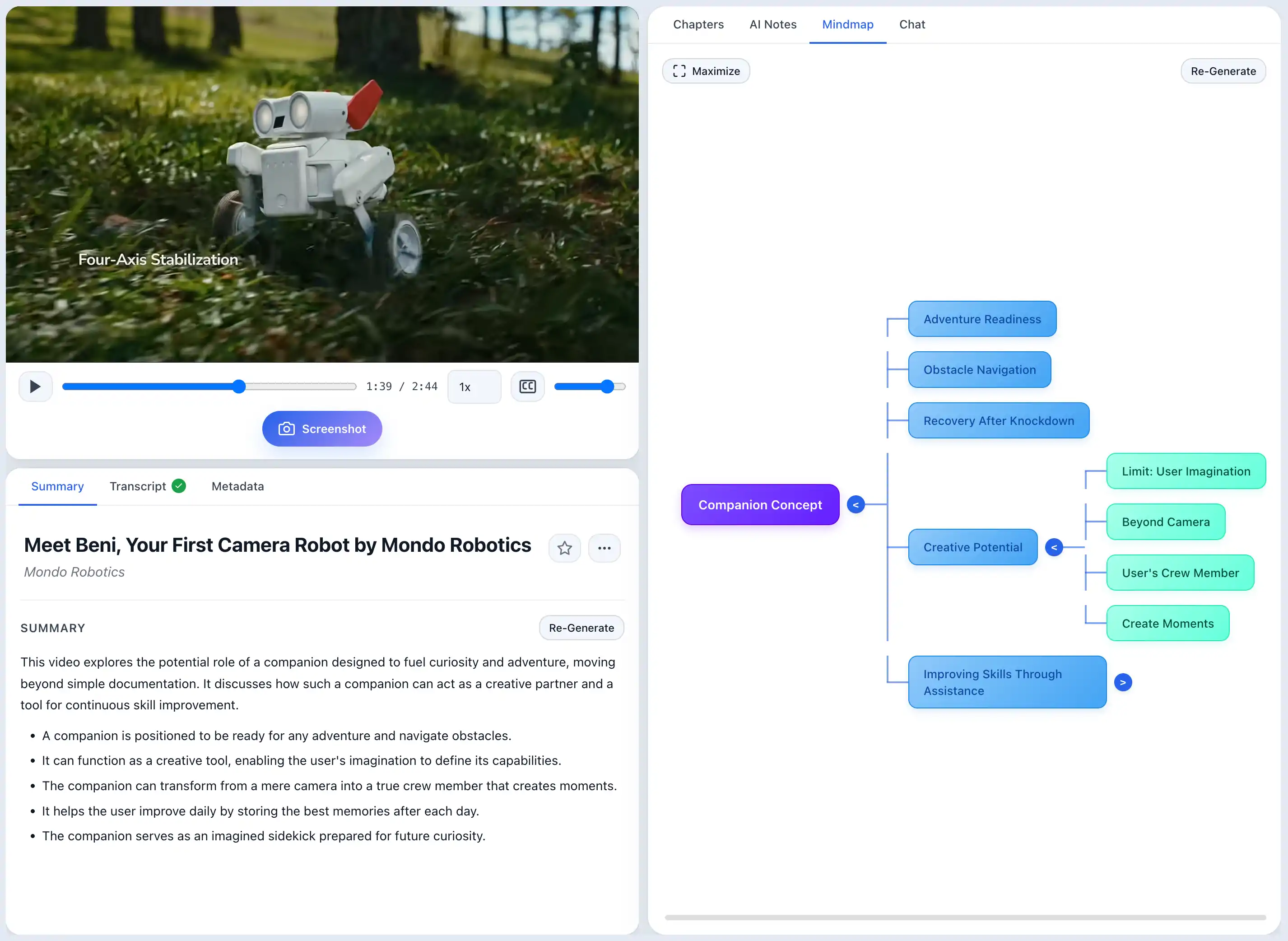
Why visual mind maps transform video learning
For visual learners, scrolling through thousands of words of text summary makes it hard to see how concepts connect. A mind map converts linear video narration into a 2D spatial tree, making the high-level architecture of a talk immediately obvious.
ScribeShot generates structured Mermaid mind maps automatically during note creation. Each node in the mind map represents a key topic or subsection, and clicking any node instantly seeks the embedded video player to the exact timestamp where that concept is discussed.
Key features of ScribeShot Video Mind Maps
- Automatic Topic Hierarchy: AI extracts main themes, chapters, and sub-concepts into structured visual trees.
- Click-to-Jump Video Sync: Click any mind map branch to jump the synchronized video player straight to that timestamp.
- Expand & Collapse Nodes: Focus on high-level chapters or drill down into granular technical sub-bullets.
- Standard Mermaid Markdown Output: Mind maps save as
mindmap.mdusing standard Mermaid syntax, natively rendered by Obsidian, GitHub, and VS Code. - Offline Model Execution: Local Gemma 4 models build mind maps directly on your Mac without sending transcript data to cloud servers.
Text Summaries vs Interactive Video Mind Maps
| Feature | Standard Text Summary | ScribeShot Mind Map |
|---|---|---|
| Visual Structure | Linear Text Wall | Interactive 2D Tree |
| Navigation | Manual Scrolling | Click Node to Seek Player |
| Obsidian Native Rendering | Requires Formatting | Native Mermaid Syntax |
| Expandable Branches | No | Yes |
| Works Offline on Mac | Varies | Yes, Local Gemma 4 Model |
Common questions
How do mind maps link to the video timeline?
Clicking any mind map node seeks the synchronized video player directly to that timestamp.
What file format are mind maps saved in?
Plain text Markdown using standard Mermaid syntax, natively rendered in Obsidian and VS Code.
Does mind map generation work offline?
Yes, powered by the local Gemma 4 model on Apple Silicon.
Generate a mind map from your next video
Three videos free, no signup. See how visual mind maps simplify long lectures.
Try 3 videos free • 3 screenshots per video • No credit card • Zero AI cost with local LLM